

Kimi Chat Completion API Application and Usage
Kimi is a series of AI models launched by Moonshot AI. The currently recommended model is kimi-k3.1-pro, which is suitable for long-horizon programming, complex reasoning, visual understanding, and knowledge work; kimi-k3 is still available. It is accessed through the OpenAI-compatible Chat Completions API.
This document mainly introduces the usage process for the Kimi Chat Completion API. With it, we can easily use the official Kimi conversational capabilities.
¶ Supported Models
Currently, four models are supported: kimi-k3.1-pro, kimi-k3, kimi-k2.6, and kimi-k2.7-code. K2.7 Code is designed for programming and tool-calling scenarios and is billed at the same price tier as K2.6; do not pass the thinking switch or reasoning_effort in requests to it. Other Kimi models are no longer supported. Please explicitly select one of these four models in your client.
¶ Application Process
To use the Kimi Chat Completion API, first go to the jiasmart Console to obtain your API Token and keep it for later use.
If you are not logged in or registered, you will automatically be redirected to the login page and prompted to register and log in. After completion, you will automatically return to the current page.
One API Token can be used to call all services on the platform, so there is no need to apply separately for each service. A free quota will be provided upon the first application, allowing you to try the service for free. When the quota is insufficient, you can recharge your general balance in the Console.
📘 Complete Documentation: Kimi Chat Completion API →
¶ Basic Usage
Next, you can fill in the corresponding information in the interface, as shown in the figure:
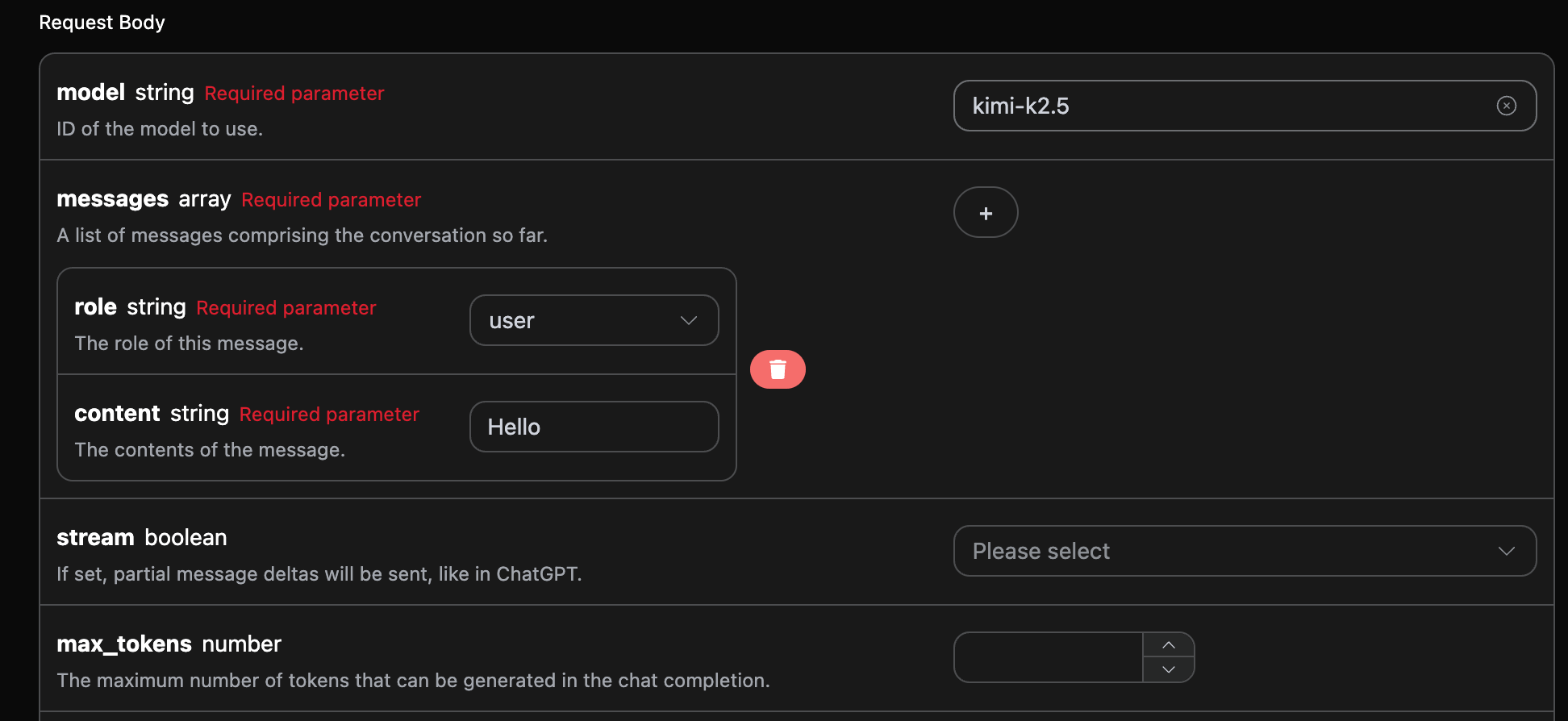
When using this interface for the first time, you need to fill in at least three fields: authorization can be selected directly from the dropdown list; model is used to select the Kimi model, and kimi-k3.1-pro is recommended; messages is an array of conversation messages, and each message contains role and content, where role supports user, assistant, system, and tool.
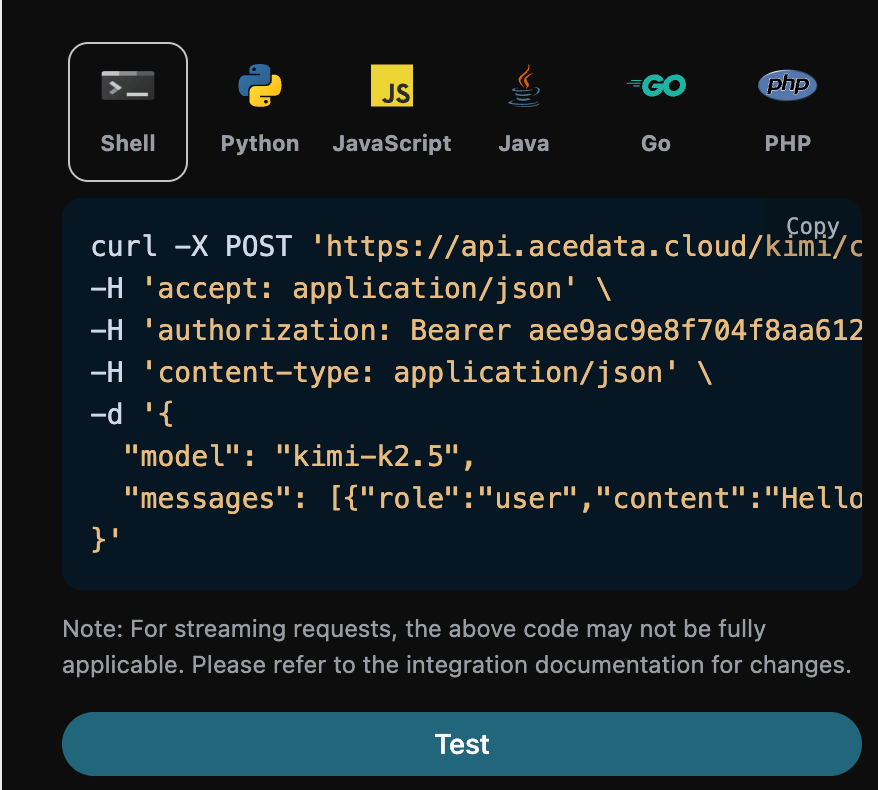
At the same time, you can notice that the corresponding invocation code is generated on the right. You can copy the code and run it directly, or click the "Try" button to test it.
The following is a real K3 response obtained using reasoning_effort: max (unused extension fields are omitted):
{
  "id": "msg_2D4Btbg1WgvkNE3tCYkR4xGA",
  "object": "chat.completion",
  "created": 1784466588,
  "model": "kimi-k3",
  "choices": [
    {
      "index": 0,
      "message": {
        "role": "assistant",
        "content": "Hello! How can I help you today?"
      },
      "logprobs": null,
      "finish_reason": "stop"
    }
  ],
  "usage": {
    "prompt_tokens": 86,
    "completion_tokens": 206,
    "total_tokens": 292
  }
}
The returned result contains multiple fields, which are described as follows:
id: The ID generated for this conversation task, used to uniquely identify the conversation task.model: The selected official Kimi model.choices: The response information provided by Kimi to the prompt.usage: Statistics on the tokens used in this question-and-answer session.
Among these, choices contains Kimi's response information. Its choices field contains the specific details of Kimi's response, as shown in the figure.
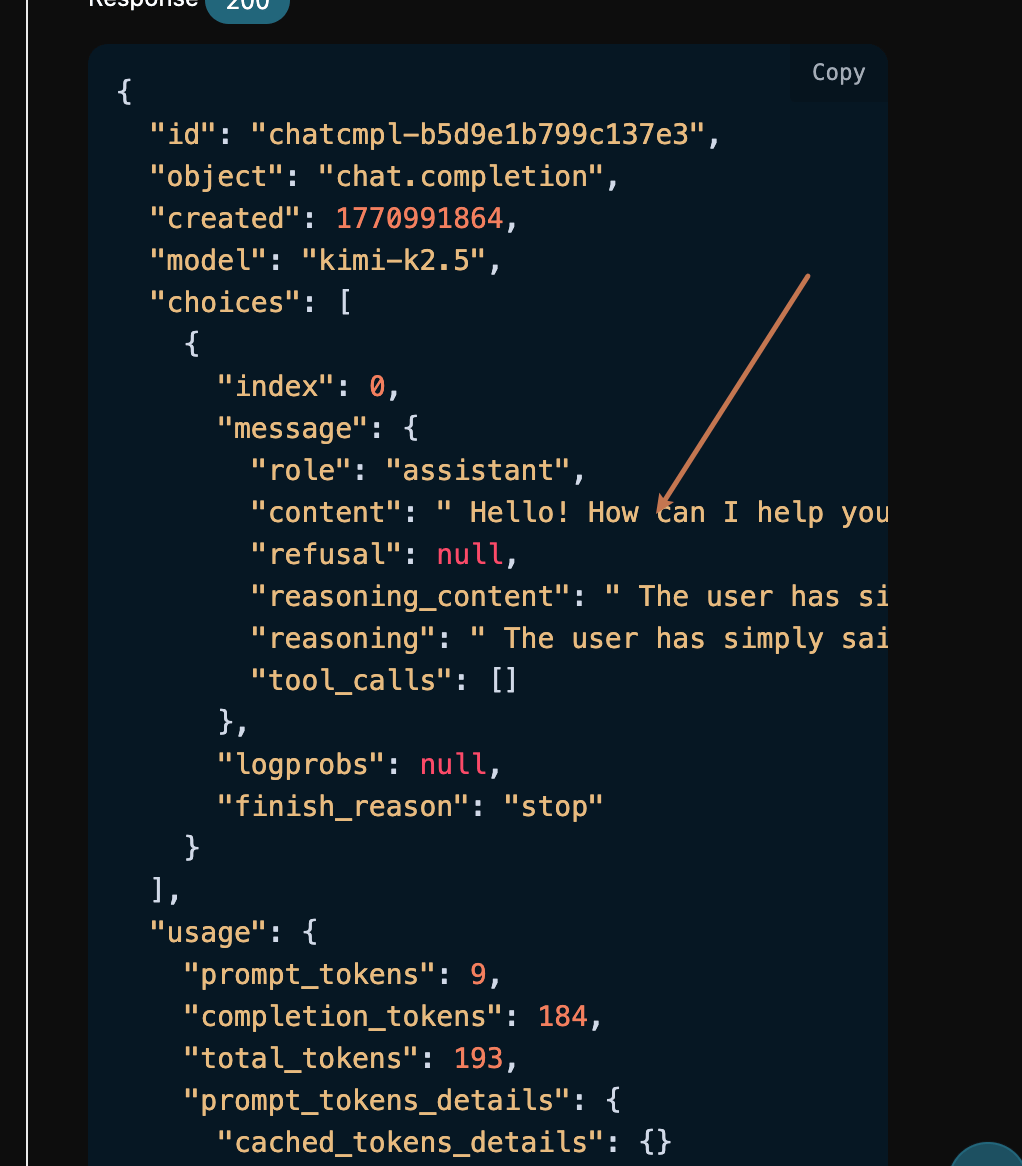
As you can see, the content field inside choices contains the specific content of Kimi's reply; K3 may also return reasoning_content, which represents the reasoning process.
¶ K3.1 Pro Reasoning Effort
kimi-k3.1-pro always has reasoning enabled. You can set reasoning_effort to low, high, or max at the top level of the request body; do not pass a configuration that disables reasoning. The model supports a context window of up to 1,048,576 tokens, but the actual request limit is still subject to the current API. Pricing is calculated based on input, output, and cache-hit usage. For details, see the Pricing card in the model catalog.
curl https://api.acedata.cloud/kimi/chat/completions \
  -H "Authorization: Bearer $ACEDATACLOUD_API_KEY" \
  -H "Content-Type: application/json" \
  -d '{
    "model": "kimi-k3.1-pro",
    "messages": [{"role": "user", "content": "审查这段代码并给出修复方案"}],
    "reasoning_effort": "low"
  }'
The following K3 example is retained for existing integrations, and the example response was indeed obtained through a K3 request.
¶ K3 Reasoning Effort
kimi-k3 always has reasoning enabled. The reasoning_effort field is supported at the top level of the request body, and the only currently supported value is max; omitting this field also uses max. Please use the supported value.
curl https://api.acedata.cloud/kimi/chat/completions \
  -H "Authorization: Bearer $ACEDATACLOUD_API_KEY" \
  -H "Content-Type: application/json" \
  -d '{
    "model": "kimi-k3",
    "messages": [{"role": "user", "content": "审查这段代码并给出修复方案"}],
    "reasoning_effort": "max"
  }'
When using the OpenAI SDK, you can pass this field directly:
response = client.chat.completions.create(
    model="kimi-k3",
    messages=[{"role": "user", "content": "设计一个可靠的任务队列"}],
    reasoning_effort="max",
)
For multi-turn conversations and tool calls, please pass the complete assistant message from the previous turn back into messages, including reasoning_content and tool_calls.
¶ Official References
- Thinking Effort: Explains that Kimi K3 always has reasoning enabled and that the only currently supported value for
reasoning_effortismax. - Model Parameter Reference: Compares the reasoning parameters, context windows, and tool-calling differences between K3 and the K2 series.
- Create Chat Completion: Moonshot's official Chat Completions request, response, and OpenAPI field definitions.
¶ Streaming Responses
This interface also supports streaming responses, which is very useful for web integration and allows web pages to implement a character-by-character display effect.
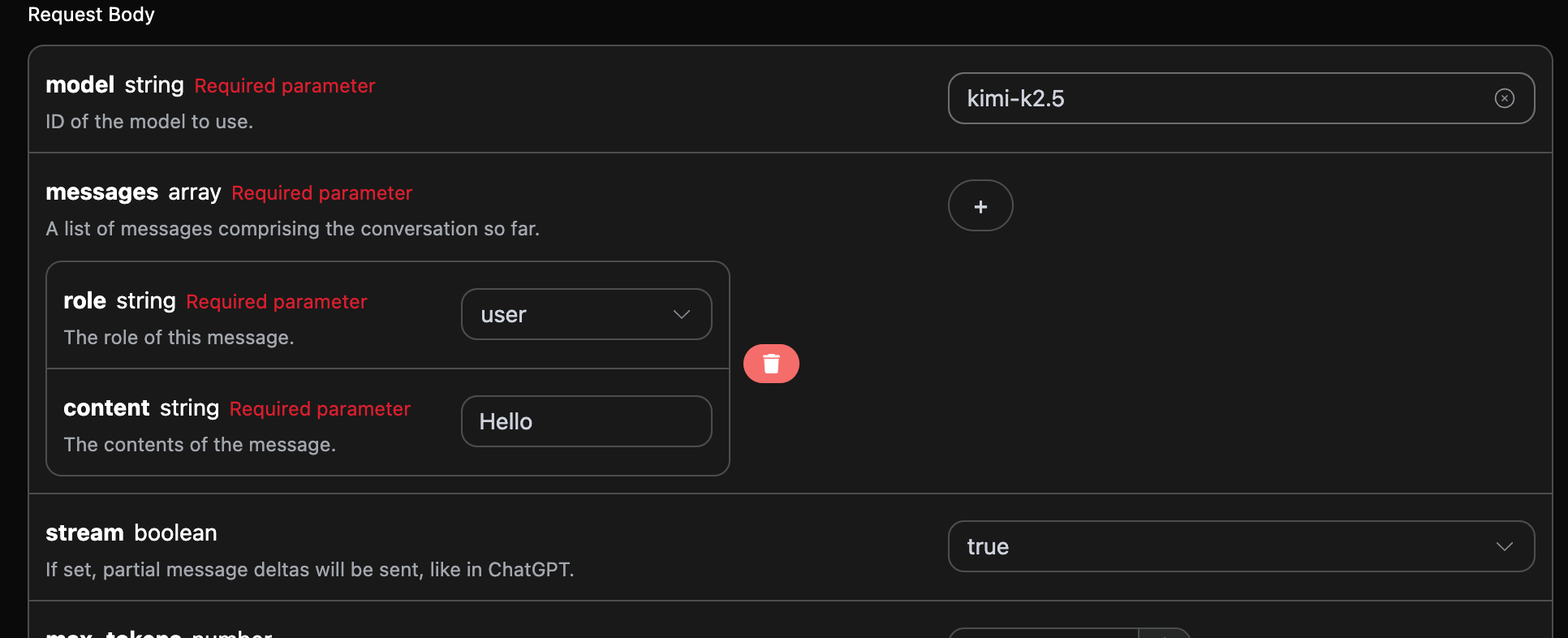
If you want to return responses in a streaming manner, you can change the stream parameter in the request header to true.
Make the modification as shown in the figure. However, the invocation code also needs corresponding changes to support streaming responses.
Python sample request code:
import requests

url = "https://api.acedata.cloud/kimi/chat/completions"

headers = {
    "accept": "application/json",
    "authorization": "Bearer {token}",
    "content-type": "application/json"
}

payload = {
    "model": "kimi-k3",
    "messages": [{"role":"user","content":"Hello"}],
    "reasoning_effort": "max",
    "stream": True
}

response = requests.post(url, json=payload, headers=headers)
print(response.text)
Below are excerpts from the beginning, reasoning, content, ending, and usage data blocks of an actual K3 Max streaming response from the same request:
data: {"id":"msg_er7WZjyv2kD3TG2yzbFPu5ZJ","object":"chat.completion.chunk","created":1784466598,"model":"kimi-k3","choices":[{"index":0,"delta":{"content":"","role":"assistant"},"finish_reason":null}],"usage":null}

data: {"id":"msg_er7WZjyv2kD3TG2yzbFPu5ZJ","object":"chat.completion.chunk","created":1784466598,"model":"kimi-k3","choices":[{"index":0,"delta":{"reasoning_content":"The"},"finish_reason":null}],"usage":null}

data: {"id":"msg_er7WZjyv2kD3TG2yzbFPu5ZJ","object":"chat.completion.chunk","created":1784466598,"model":"kimi-k3","choices":[{"index":0,"delta":{"content":"Hello"},"finish_reason":null}],"usage":null}

data: {"id":"msg_er7WZjyv2kD3TG2yzbFPu5ZJ","object":"chat.completion.chunk","created":1784466598,"model":"kimi-k3","choices":[{"index":0,"delta":{},"finish_reason":"stop"}],"usage":null}

data: {"id":"msg_er7WZjyv2kD3TG2yzbFPu5ZJ","object":"chat.completion.chunk","created":1784466598,"model":"kimi-k3","choices":[],"usage":{"prompt_tokens":172,"completion_tokens":168,"total_tokens":340}}

data: [DONE]
As you can see, there are many data entries in the response. The choices inside data represent the latest response content, consistent with the content introduced above. choices contains the newly generated response content, which you can integrate into your system based on the results. Meanwhile, the end of the streaming response is determined by the content of data. If the content is [DONE], it indicates that the streaming response has completely finished. The returned data contains multiple fields, which are described below:
id: The ID generated for this conversation task, used to uniquely identify the task.model: The Kimi official website model selected.choices: The response information provided by Kimi to the prompt.
JavaScript is also supported. For example, the streaming request code for Node.js is as follows:
const options = {
  method: "POST",
  headers: {
    accept: "application/json",
    authorization: "Bearer {token}",
    "content-type": "application/json"
  },
  body: JSON.stringify({
    model: "kimi-k3",
    messages: [{ role: "user", content: "Hello" }],
    stream: true
  })
};

const response = await fetch("https://api.acedata.cloud/kimi/chat/completions", options);
const reader = response.body.getReader();
const decoder = new TextDecoder("utf-8");
while (true) {
  const { value, done } = await reader.read();
  if (done) break;
  process.stdout.write(decoder.decode(value));
}
Java sample code:
JSONObject jsonObject = new JSONObject();
jsonObject.put("model", "kimi-k3");
jsonObject.put("messages", new JSONArray().put(new JSONObject().put("role", "user").put("content", "Hello")));
jsonObject.put("stream", true);
MediaType mediaType = MediaType.parse("application/json; charset=utf-8");
RequestBody body = RequestBody.create(jsonObject.toString(), mediaType);
Request request = new Request.Builder()
  .url("https://api.acedata.cloud/kimi/chat/completions")
  .post(body)
  .addHeader("accept", "application/json")
  .addHeader("authorization", "Bearer {token}")
  .addHeader("content-type", "application/json")
  .build();

OkHttpClient client = new OkHttpClient();
Response response = client.newCall(request).execute();
System.out.println(response.body().string());
Other languages can be adapted independently. The underlying principle is the same.
¶ Multi-turn Conversations
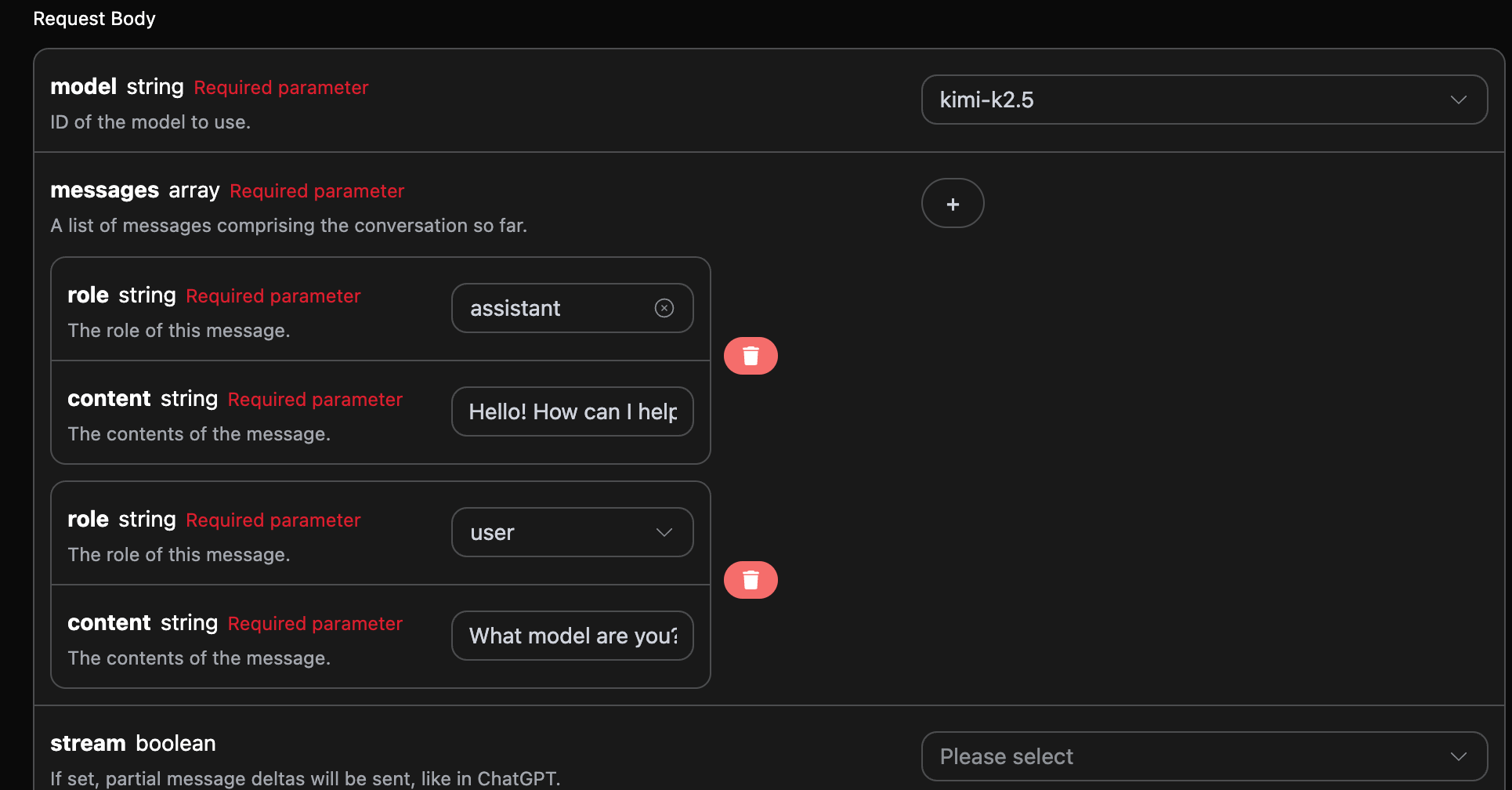
If you want to integrate multi-turn conversation functionality, you need to upload multiple prompts in the messages field. A specific example of multiple prompts is shown in the image below:
Python sample request code:
import requests

url = "https://api.acedata.cloud/kimi/chat/completions"

headers = {
    "accept": "application/json",
    "authorization": "Bearer {token}",
    "content-type": "application/json"
}

payload = {
    "model": "kimi-k3",
    "messages": [{"role":"assistant","content":"Hello! How can I help you today?"},{"role":"user","content":"What model are you?"}],
    "reasoning_effort": "max"
}

response = requests.post(url, json=payload, headers=headers)
print(response.text)
By uploading multiple prompts, you can easily implement multi-turn conversations. The following is the actual K3 Max response obtained from this request (unused extended fields have been omitted):
{
  "id": "msg_Rqp8nPGBDHWwBlL4VpxuafOp",
  "object": "chat.completion",
  "created": 1784466628,
  "model": "kimi-k3",
  "choices": [
    {
      "index": 0,
      "message": {
        "role": "assistant",
        "content": "I’m Kimi, an AI assistant developed by Moonshot AI (月之暗面). I don’t have a specific public model version identifier to share from here."
      },
      "logprobs": null,
      "finish_reason": "stop"
    }
  ],
  "usage": {
    "prompt_tokens": 134,
    "completion_tokens": 346,
    "total_tokens": 480
  }
}
As you can see, the information contained in choices is consistent with that in basic usage. It contains the specific responses provided by Kimi to multiple conversation turns, allowing you to answer the corresponding questions based on the content of multiple conversations.
¶ Error Handling
When calling the API, if an error occurs, the API will return the corresponding error code and message. For example:
400 token_mismatched: Bad request, possibly due to missing or invalid parameters.400 api_not_implemented: Bad request, possibly due to missing or invalid parameters.401 invalid_token: Unauthorized, invalid or missing authorization token.429 too_many_requests: Too many requests, you have exceeded the rate limit.500 api_error: Internal server error, something went wrong on the server.
¶ Error Response Example
{
  "success": false,
  "error": {
    "code": "api_error",
    "message": "fetch failed"
  },
  "trace_id": "2cf86e86-22a4-46e1-ac2f-032c0f2a4e89"
}
¶ Conclusion
Through this documentation, you have learned how to use the Kimi Chat Completion API to implement standard conversations, streaming responses, and multi-turn conversations, as well as how to control K3's reasoning intensity through reasoning_effort.